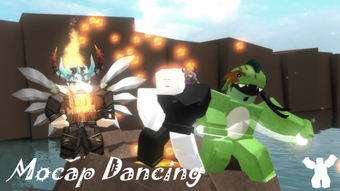

Free Roblox Motion Capture for Dancing
Overview
Mocap Dancing is a free desktop application designed for Roblox users seeking enhanced motion capture capabilities for dance-based gameplay. Developed by Flubberlutsch, the software operates as a utility tool within the Roblox ecosystem, enabling players to record and apply dance movements with greater precision. It is tailored for casual and intermediate Roblox players who enjoy creating or participating in dance-centric experiences on the platform. The app does not require a paid subscription or in-game purchases, making it accessible to a broad audience.
While the developer has not provided detailed information about the underlying technology or integration methods, the software appears to function as a bridge between physical movement and in-game avatar animation. Users may leverage it to capture real-world dance routines and translate them into Roblox character animations. This could be particularly useful for content creators building dance challenges, performances, or interactive experiences.
The app supports multiple languages, including English, Spanish, and German, which enhances its accessibility across international communities. It was first published on Softonic on August 2, 2022, and remains available for download without cost. Despite the lack of performance benchmarks or user feedback from the platform, its presence in the Utilities category suggests a focus on enhancing gameplay mechanics through external tools.
Key Features & Capabilities
- Dance Motion Capture Integration – Allows users to record real-life dance movements and apply them to Roblox avatars, improving animation realism.
- Multi-Language Support – Offers interface and instructions in English, Spanish, and German, supporting global Roblox communities.
- Free Access – No cost to download or use, with no in-app purchases or subscription models.
- Roblox Ecosystem Compatibility – Designed specifically for use with Roblox, supporting integration with dance-based games and experiences.
- Lightweight Design – At 10.5 MB, the software is compact and likely requires minimal system resources.
Users may utilize Mocap Dancing to create custom dance routines for public or private Roblox events. For example, a dance group could record a choreographed routine on their device and import it into a Roblox game, allowing avatars to perform synchronized movements. Similarly, content creators might use the app to produce tutorial videos or challenge-based games that rely on realistic motion input.
The software’s simplicity and focus on a single function—dance motion capture—suggest a streamlined experience. However, specific technical details about data handling, file formats, or recording quality were not provided by the developer.
User Interface, Workflow & Performance
The user interface of Mocap Dancing is not publicly documented, so specific layout details remain unknown. Based on its classification as a utility tool, it likely features a minimalistic design focused on core functionality: initiating motion capture, selecting a dance routine, and exporting data for use in Roblox.
Navigation appears to be straightforward, with a workflow centered around recording, processing, and transferring dance movements. The app’s lightweight size of 10.5 MB suggests efficient resource usage, though exact CPU or RAM behavior was not specified. The developer did not provide performance metrics or stability reports.
General software behavior patterns indicate that such tools typically run in the background while capturing motion, potentially using camera input or motion sensors. However, without access to the software or official documentation, real-world performance observations are limited to theoretical expectations. Users should expect minimal system impact, but actual experience may vary based on device capabilities.
Compatibility & System Requirements
Mocap Dancing is compatible with both Windows and Mac operating systems, as confirmed by the developer. The software has been released in version 0, indicating it may be in an early or developmental stage. The installation file size is 10.5 MB, which is relatively small and suggests a lightweight application.
Exact system requirements were not listed, including minimum processor speed, RAM, or graphics specifications. The developer did not provide additional system requirements, nor did they specify whether the software requires a specific version of Roblox or a particular camera setup for motion capture.
Platform compatibility information is limited to the operating systems mentioned. Users should ensure their system meets general desktop application standards, though no official thresholds were provided. The lack of detailed compatibility details may affect user confidence, particularly for those with older or non-standard hardware.
Pros and Cons
Pros
- Completely free to download and use with no hidden costs.
- Supports multiple languages, improving accessibility for international users.
- Compact size of 10.5 MB reduces installation time and storage impact.
- Designed specifically for Roblox, offering targeted functionality for dance gameplay.
- Simple, focused purpose with minimal distractions.
Cons
- Version 0 suggests the software may be in early development with limited features.
- No official system requirements were provided, making compatibility assessment difficult.
- Limited public information about technical implementation or data security.
- Performance and stability details were not disclosed by the developer.
- Support for only English, Spanish, and German may restrict access for non-speakers.
FAQ Section
Is Mocap Dancing safe to download and use?
The software is available through Softonic, a third-party platform. While no security threats were reported at the time of publication, users should ensure their antivirus software is active during installation. The developer has not provided a digital signature or verification method.
Can I use Mocap Dancing offline?
Yes, the software is designed as a standalone desktop application. Once installed, it does not require an internet connection to function, although Roblox integration may require online access.
Does Mocap Dancing require a Roblox account?
Yes, the software is intended for use with Roblox, so a valid Roblox account is necessary to access and apply captured dance movements in-game.
How often are updates released?
Updates are not tracked or published on the platform. The current version is listed as 0, which may indicate infrequent or irregular update cycles.
What operating systems does Mocap Dancing support?
Mocap Dancing is compatible with Windows and Mac operating systems, as confirmed by the developer.
Final Thoughts
Mocap Dancing presents a unique opportunity for Roblox players interested in enhancing their dance experiences through motion capture technology. Its free model, multi-language support, and focus on a single core function make it an appealing tool for content creators and casual users alike. While the lack of detailed system requirements and performance data limits full confidence, the software’s lightweight design and compatibility with major desktop platforms suggest it is accessible to most users.
Given its early version status and limited public information, users should approach it with caution, especially those unfamiliar with third-party Roblox utilities. However, for those seeking to add dynamic, realistic dance animations to their Roblox games, Mocap Dancing offers a promising, no-cost solution.
Download Mocap Dancing now to elevate your Roblox dance experiences.







